
Talent Pool Advanced Search
What is the Advanced Search?
The Advanced Search tool is an essential feature that enables you to efficiently search for candidates within your database. With this tool, you can use a keyword or a boolean string, and combine it with criteria like skills, spoken languages, degree, location, current and past experiences, and many more.
How to conduct a search
1) Select the Talent Pool menu
2) Click the Advanced Search tab

Next you will be directed to the "Advanced Search" display.
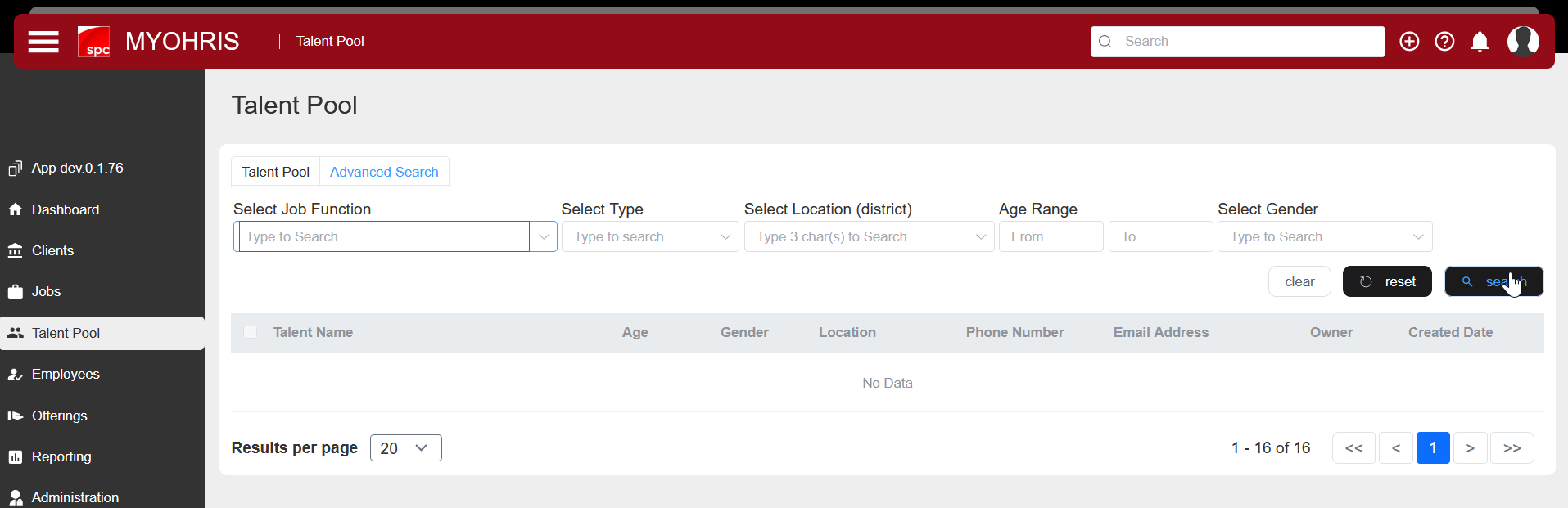
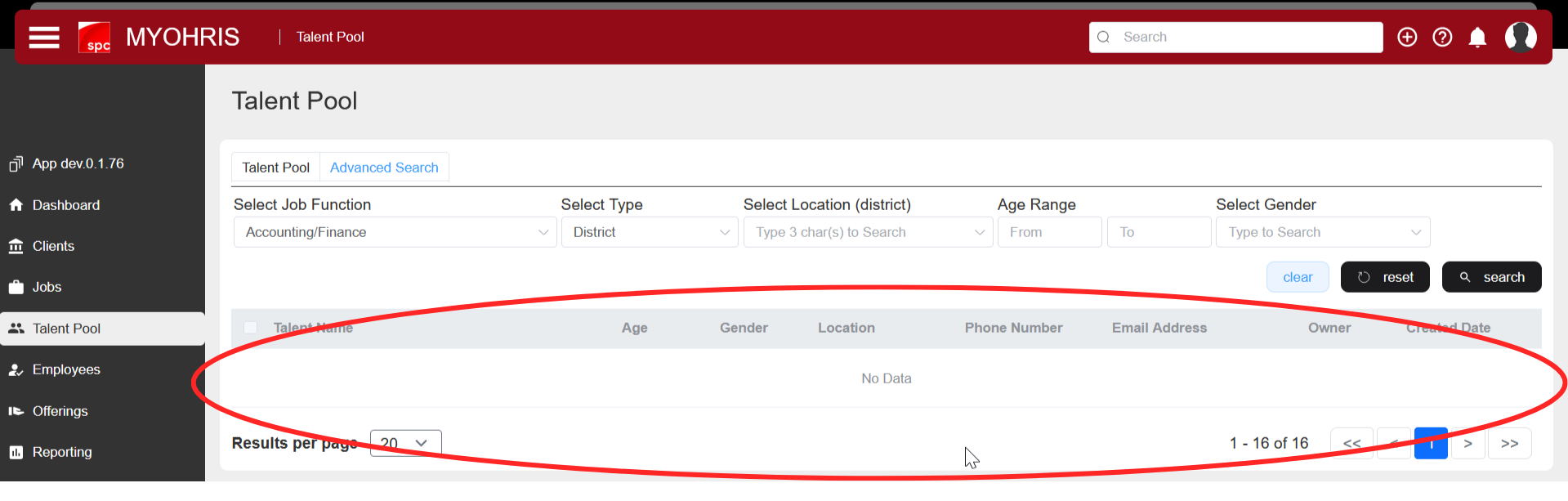
In this display, please select (click) which filter you want to use (Job Function, Type, Location, Age range, or Gender) and select the value. Then click the search button to search
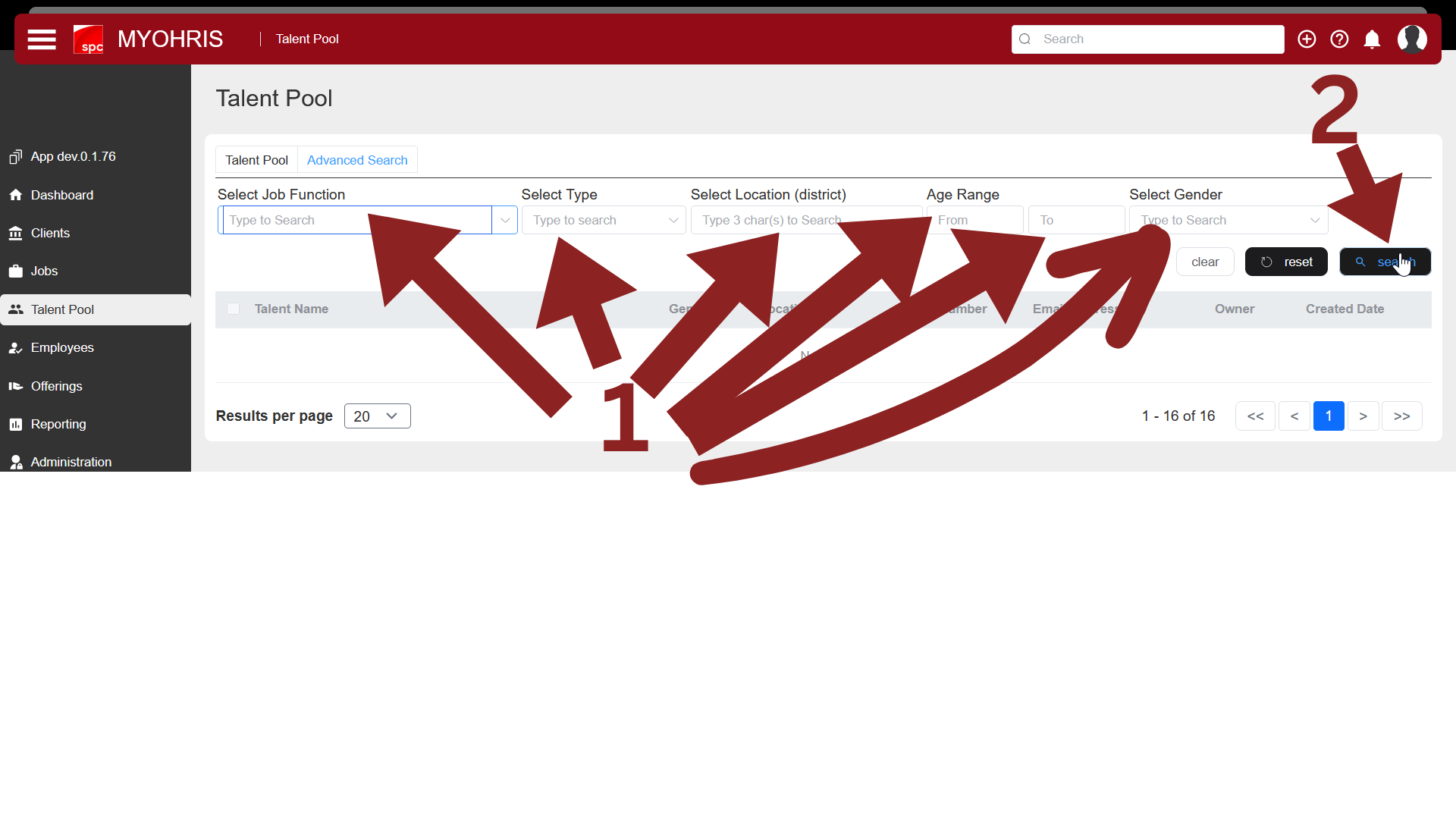
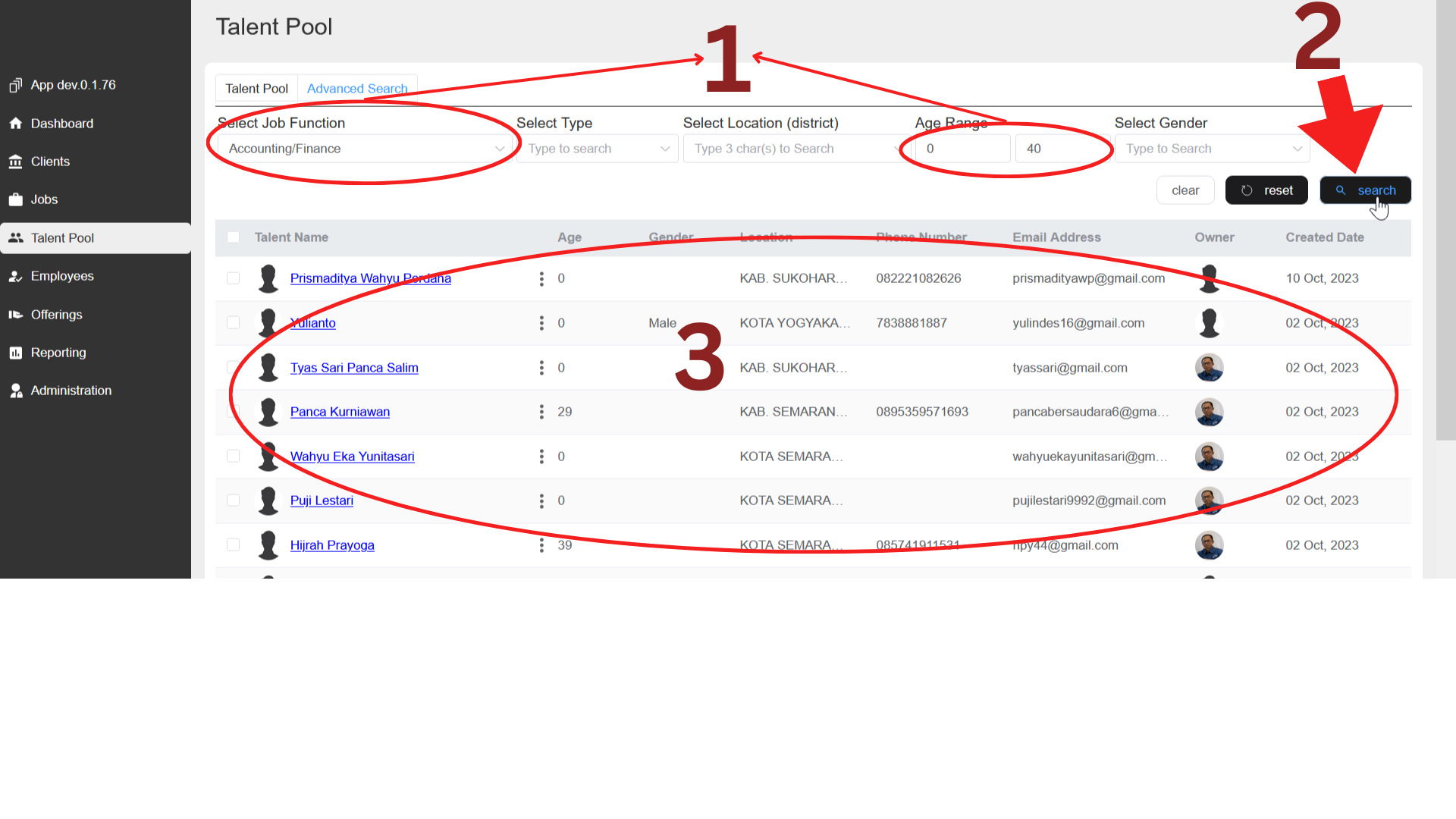
After you select the filter(1) and press the Search button(2), the results will be displayed in the table below(3) (see image below)
Explanation of Advanced Search
On the "Advanced Search" tab display, you can search data based on the values you enter in the available filters (Job Function, Type, Location (District), Age Range, and Gender). For an explanation, see below:

1) Search Button
This button functions to search based on the previously selected filter. If the Search button has been clicked, the results will be displayed in the table below
.png)
2) Reset Button
The Reset button is used to reset or delete previously selected filters


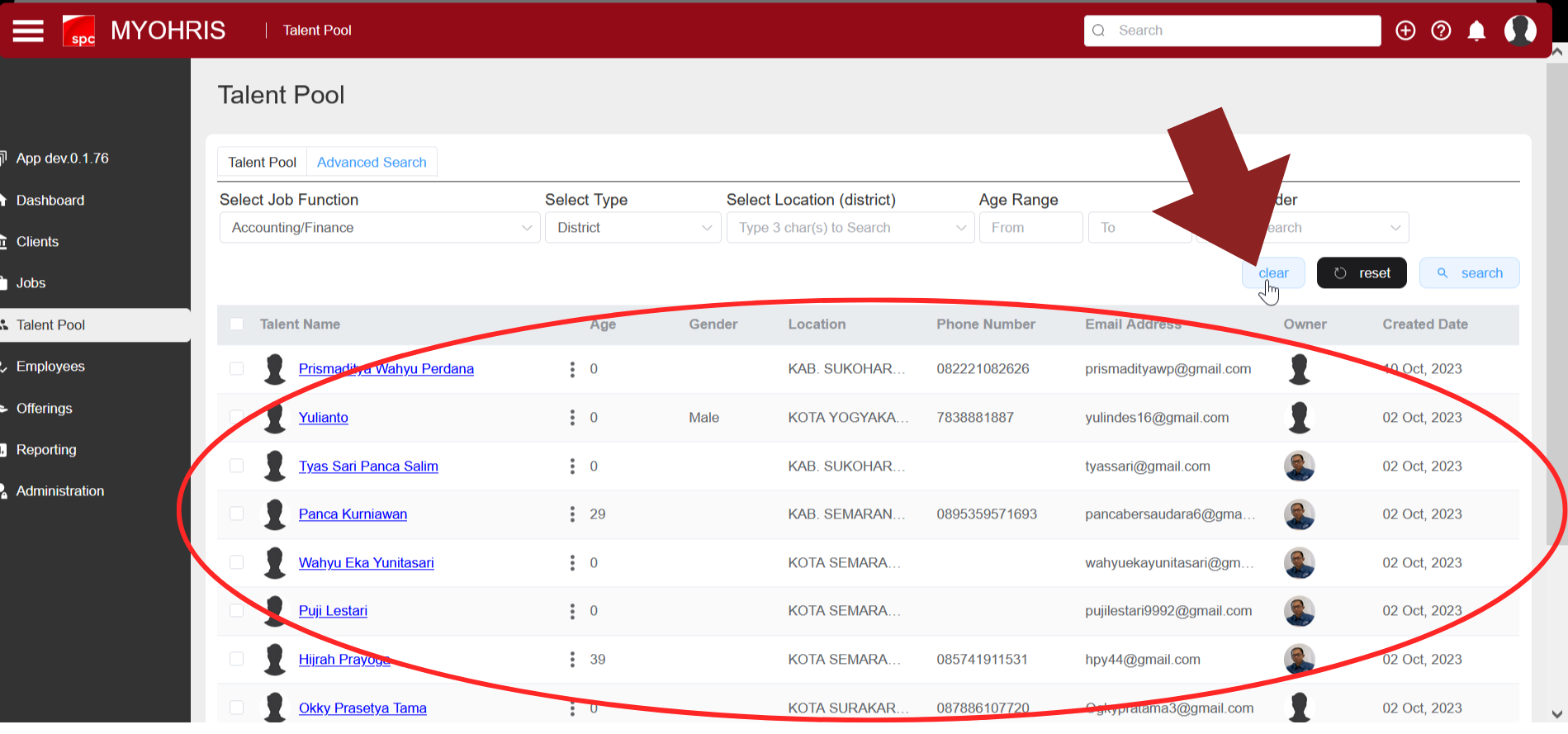
3) Clear Button
The Clear button is used to delete the data displayed in the table from the previous search results
4) Filter Select Job Function
This filter is used to search based on the Job Function filter. You can choose the available job function options

5) Filter Select Type
This filter is used to select the type (District/Province), which based on this type will be used to select the location

6) Filter Select Location
This filter will change to match the previously selected "Select Type" filter (District/Province). If in "Select Type" previously selected "District" then in location you can select location options based on "District".

7) Filter Age Range
In the age range filter (From & To) you can input the age range of talent you want to search for in the From column & To column.


8) Filter Select Gender
In the "Select Gender" filter, select the gender you want to search for
