Quick Search Candidate
What is the Quick Search?
The quick search allows users to easily search in their database through the following data points:
- Full name
- Phone number
How to conduct a Quick Search
Here are the steps to conduct a quick search:
1. Access the talent pool menu
2. Click the talent pool tab
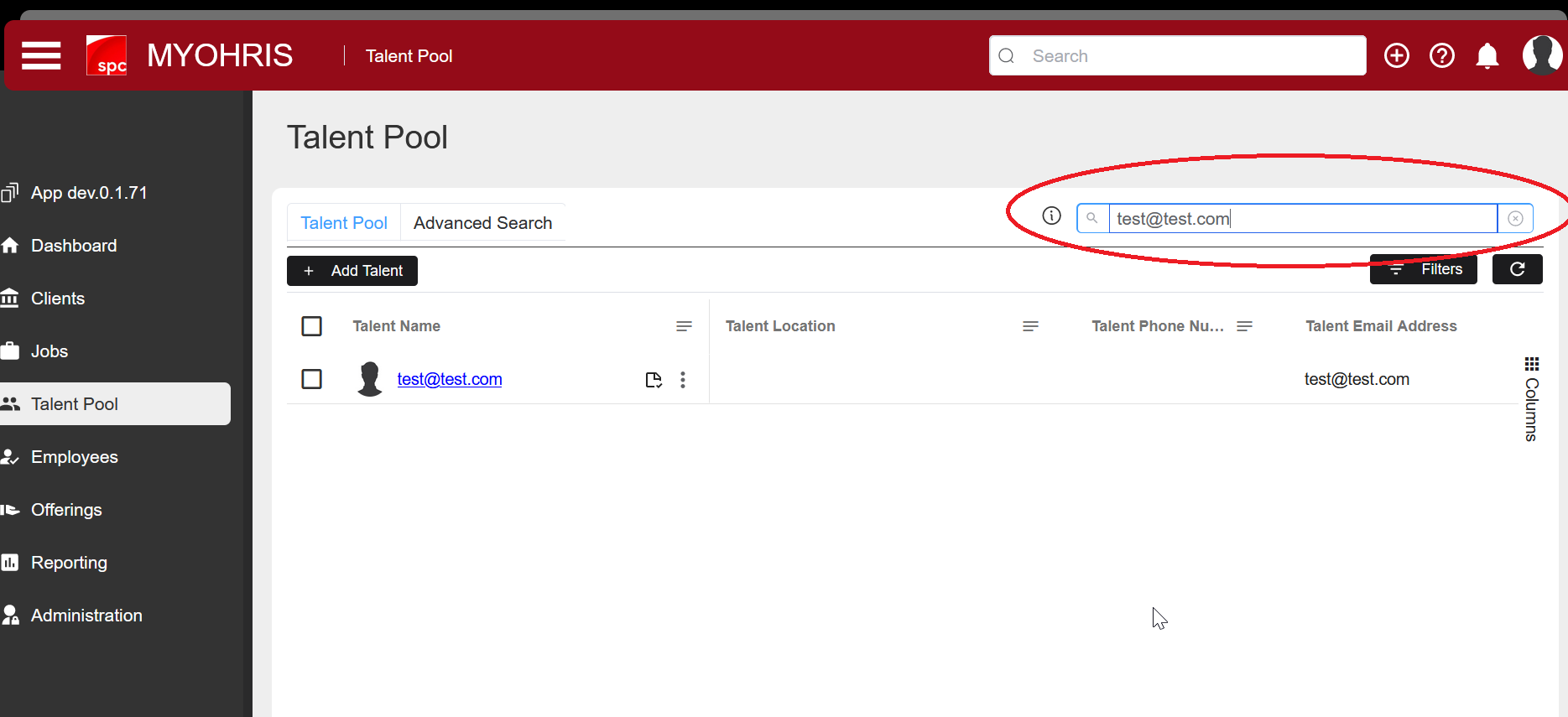
3. Click the "Quick search" search box on the right side of the screen
4. Enter a value in the form of name or email or phone number according to your wishes
.png)
Here I tried searching using the "email" value "test@test.com". After "Search" the table below will appear according to the value just entered