Customize Client
How to access “Client Detail” for edit client data
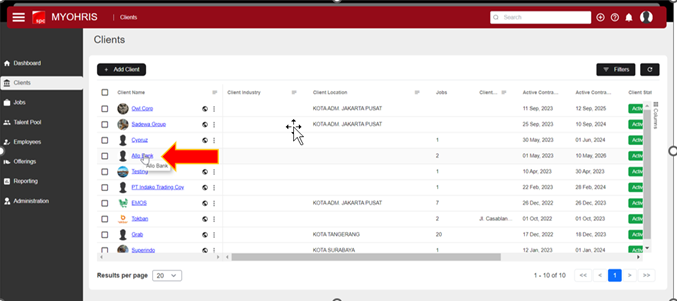
In the client menu, select the client name you want to view the 'Client Detail' for. Here, I choose the client 'Allo Bank'.
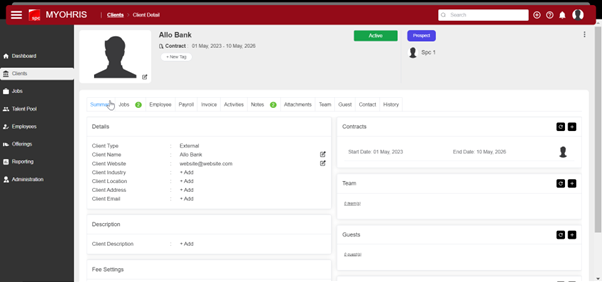
"Now you are on the 'Client Detail' page."
How to edit Summary Data
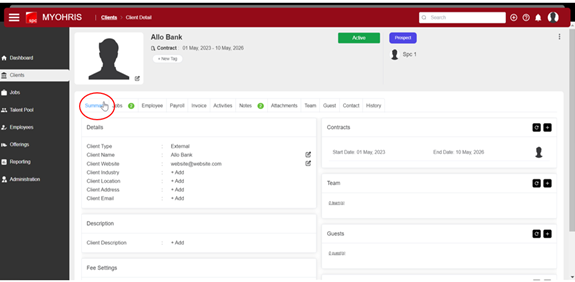
- How to access Summary
click the summary tab on the client details
- Guide to fill Summary Data
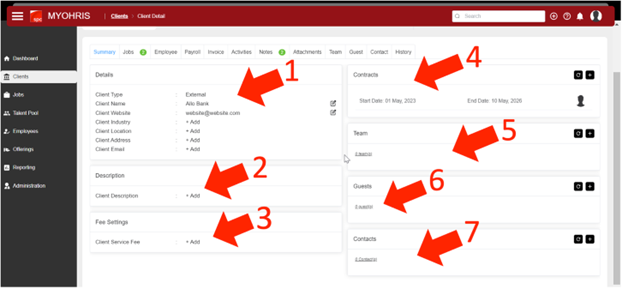
- Details Components
- Client Name: Change the Client Name as desired.
- Client Website: Enter the client's website name.
- Client Industry: Specify the type of industry the client's company belongs to.
- Client Location: Enter and select the client's location (District).
- Client Address: Input the client's address.
- Description Component: Enter the Client Description.
- Service Fee Component: Input the Fee Amount from the Client.
- Contracts Component: Enter the client's work contract.
- Team Component: Input the Client's Team.
- Guest Component: Input Guests.
- Contact Component: Enter the client's contact information.