What Is A Client
What is an Client
CLIENT are designed for recruitment companies/entities that are recruiting on behalf of other companies. This option gives access to recruitment CRM tools to track and manage your clients within the software.
Why do you need to create Client
When you create a job (vacancy, job requisition, job listing), you need to attach this newly created position to an Client. This allows you to better structure and organize your jobs under your different organizations.
How to create an Client
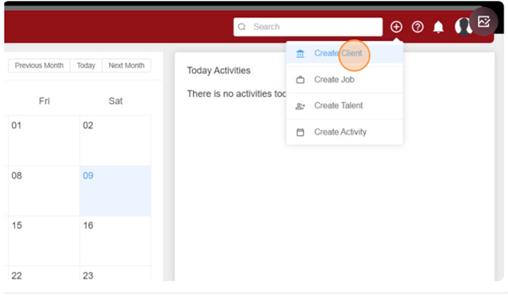
From any page (click here to open SPC), click on the "+" button on the top right corner of your screen and select "Create a client" (Depending on your Agency/Corporate settings).
To fill out the 'Create Client' form please follow the instructions below:
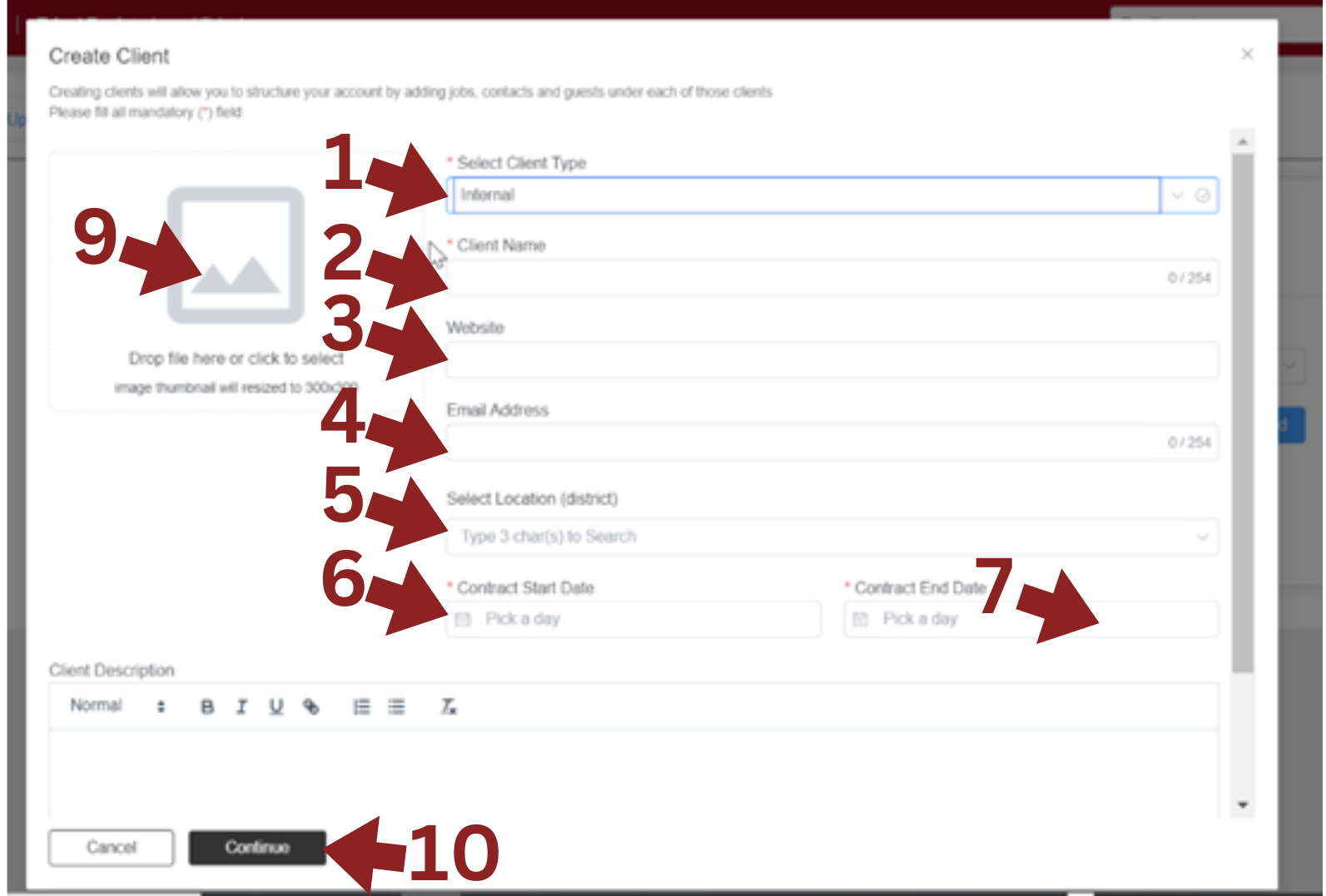
- *Select Client type: Choose the client type: Internal SPC or External SPC
- *Client Name: Enter the client's name.
- Website : Enter the client's website.
- Email Address : Input the client's email address
- Select Location : Enter the client's location (District).
- *Contract Start Date : Enter the initial contract time with the client.
- *Contract End Date : Enter the contract end time with the client.
- Client Description : Fill in the client description if necessary
- Drop Client Logo to box if available
- Click Continue if done
Please fill all mandatory (*) field